
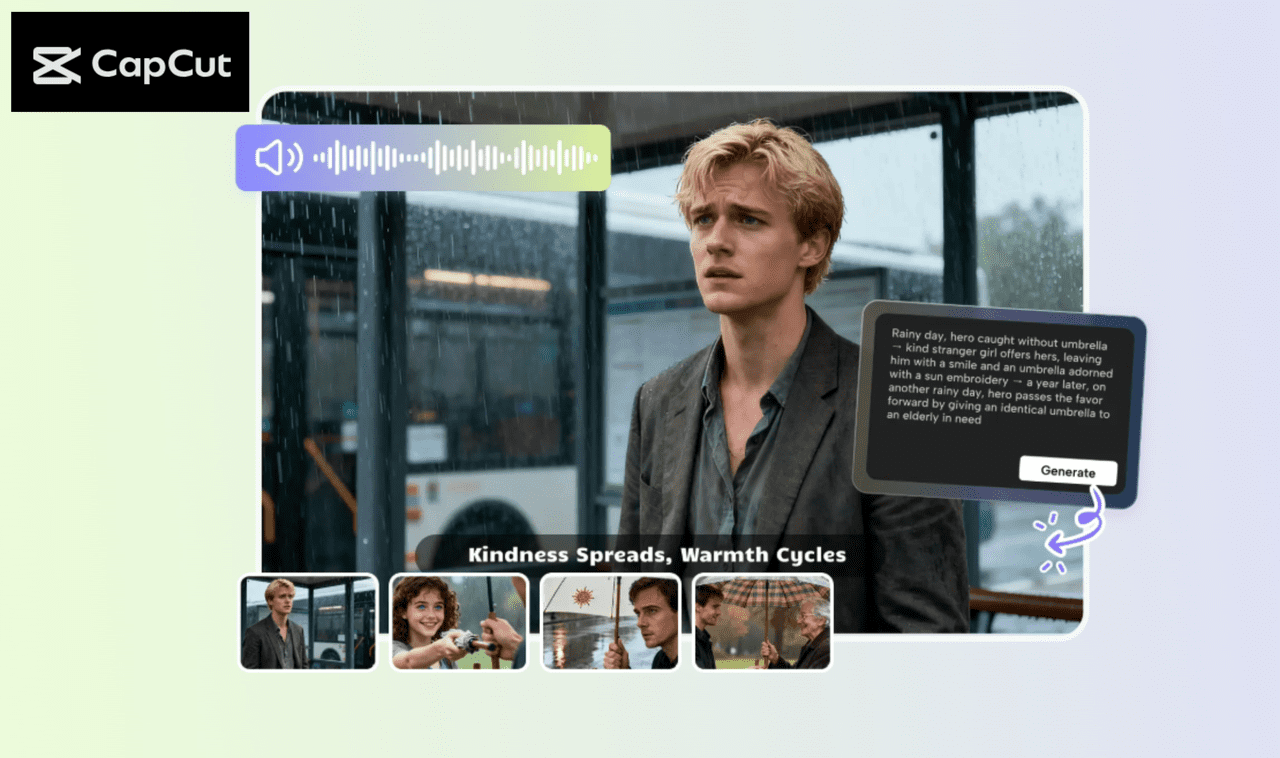
It is difficult to produce social media story videos that are attention grabbing. Most creators find it hard to organize their clips, captions, and effects to make them interesting to the viewer.
The narrative of your video is very important in the response of your viewers. This is because a video that is poorly arranged would lose the interest of the viewers in a very short time, whereas a well-understood flow of the story would make them view the video to the end.
It is in this regard that the AI Storyboard in the CapCut Desktop Video Editor will be used. It assists you in planning your video in a systematic manner. One more way to apply AI Writer in the workflow is generating scripts or captions and, at the same time, making the video creation process even quicker.
AI Storyboard of Social Media Story Flow
AI Storyboard can be helpful to social media creators. It assists you in sequencing clips, captions, effects as well as transitions in a logical manner. To illustrate, when making a product promotion video, artificial intelligence can arrange the scenes such that the product can be highlighted from the beginning to the end.
Equally, in the case of a personal vlog, it can organize your time in a narration manner to make the viewers feel involved. The time that it takes to arrange everything manually is less than the time used in the use of AI Storyboard.
You do not have to spend hours shifting the clips, but you can allow the AI to produce a seamless video flow in a few minutes. Remember, CapCut Desktop Video Editor is not completely free, and certain advanced AI options will need financial investments.
The Main Advantages of AI Storyboards to Social Media Stories
The advantage of AI Storyboard is that it is a tool that allows you to arrange your video scenes automatically. There is nothing to be concerned about the sequence of clips, transitions, or captions. The other benefit is the style of creativity.
You may use various appearances such as cartoons, cinema look, 3D look, or fun look, which can be used depending on your brand or your own personal look. AI also helps with the script. It is able to create a storyboard on your subject or can improve your current script to make it natural.
Another advantage is efficiency in time. The storyboard can be created within minutes rather than hours of shuffling clips. Customization is easy, too. Insert captions, stickers, or music to every scene without any trouble.
The option to use AI Storyboard as CapCut Desktop Video Editor guarantees that even a complex flow of the story, including numerous clips, transitions, and audio signals, can be arranged flawlessly in a few seconds. This is why it is perfect for influencers, marketers, or any people who makes social media videos.
AI Storyboard Usage in CapCut Desktop Video Editor
Step 1: Install CapCut Desktop Video Editor
First, get the CapCut Desktop Video Editor that is located on its official site. Install the installer and follow the on-screen instructions to install it on Windows or macOS.
Ensure that your PC is capable of supporting the minimum requirements in order to process AI. Also, not all advanced AI can be used freely, and some of them require payments, which is why you should consider what options you have to use before launching a project.

Step 2: Open AI Storyboard Workspace
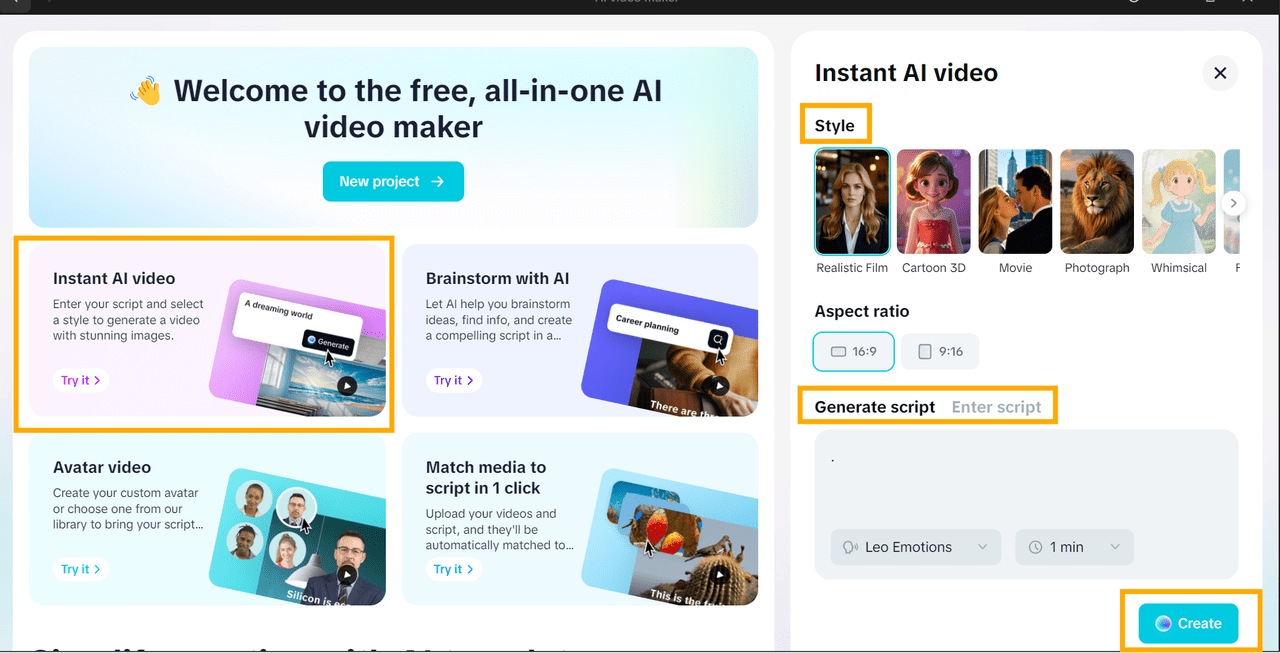
Install CapCut Desktop Video Editor. On the primary interface, select AI Video Maker. You have few choices, click Instant AI Video.
On the right side, you will have the option of a video style such as cinematic, fun, or 3D. Select the aspect ratio of your social media. It is herein the workspace that you start building up your flow of story.
The AI can organize clips, transitions, and captions in a way that will make your video appear organized and professional at the beginning.
Step 3: Add Elements and Music to Story Flow
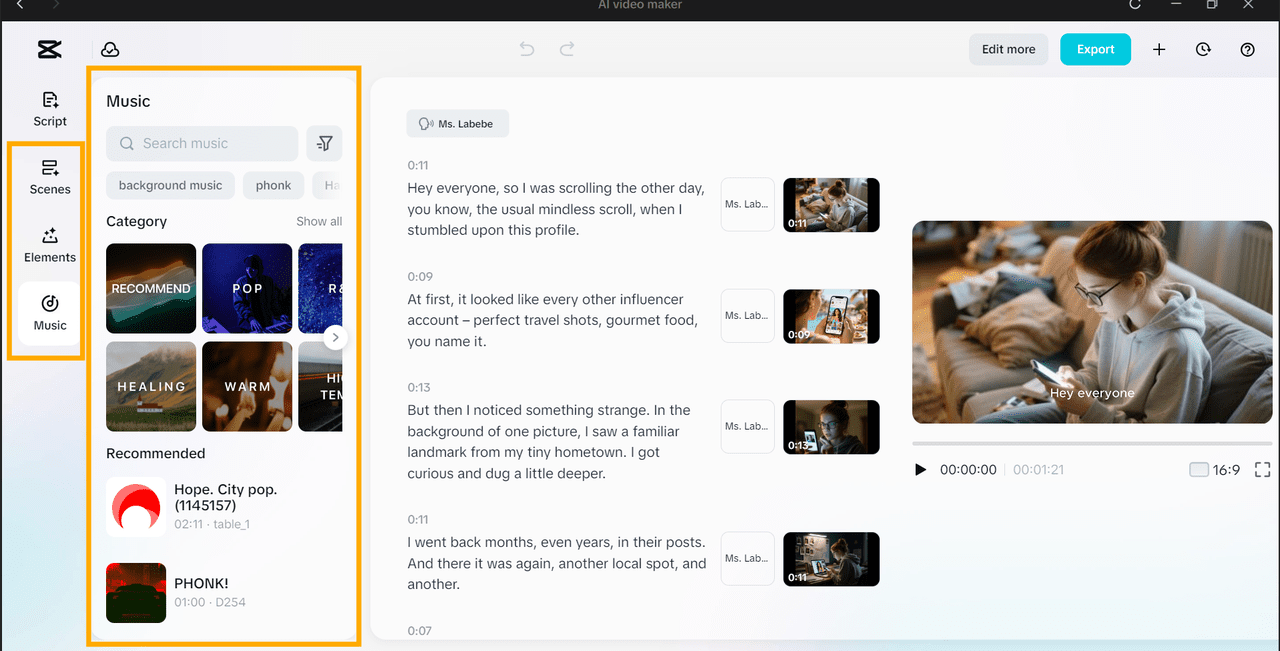
At this point, you can add stickers, captions, or highlights to your scenes with the help of the Elements panel. Text editing powered by AI will allow highlighting important phrases or call-to-action lines.
On the Music panel, select a song in the library or search for the desired song. Watch the video to ensure the synchronization of captions, transitions, and music.
You can also experiment with various scene sequences with AI Storyboard to see which story sequence will be best for your audience. This move will allow you to be creative with your video and, at the same time, structure it and make it interesting.
Step 4: Export or Edit More
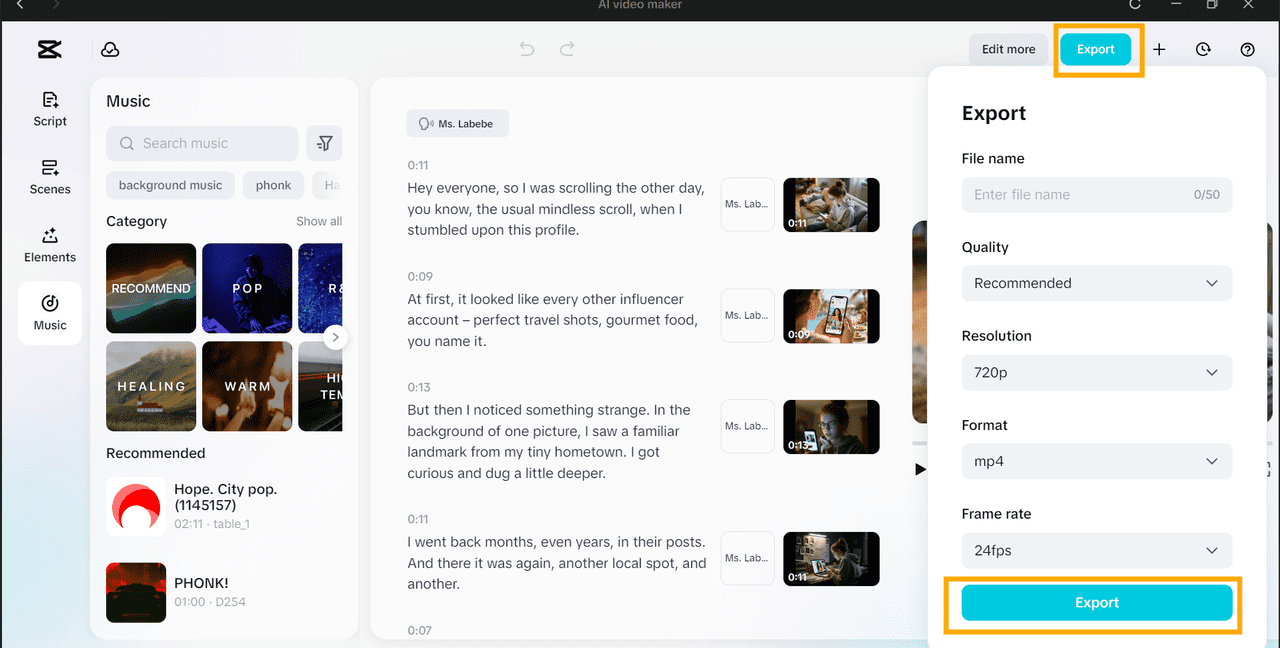
Click on Export when your video is ready. Select the file name, format, and resolution to 4K. You can edit further. When you need more features, click Edit More to open up to more sophisticated editing capabilities, in CapCut Desktop Video Editor.
Ensure that the story is flowing properly, captions are accurate, and all the effects are in sync with the music. When you export your video, it will already be ready to upload to any social media and will appear professional and smooth.
Conclusion
CapCut Desktop Video Editor is easier and faster to create social media story videos with the help of AI Storyboard. It arranges clips, captions, music, and effects in a way that your video flows intuitively.
You can also add creative styles, artificial intelligence scripts, and personal music to your story to make it more interesting. This tool is time and effort-saving and assists your content in being professional.
To make videos that capture attention and make viewers watch, just start creating your social media stories with CapCut Desktop AI Storyboard and watch how easy it can be.