
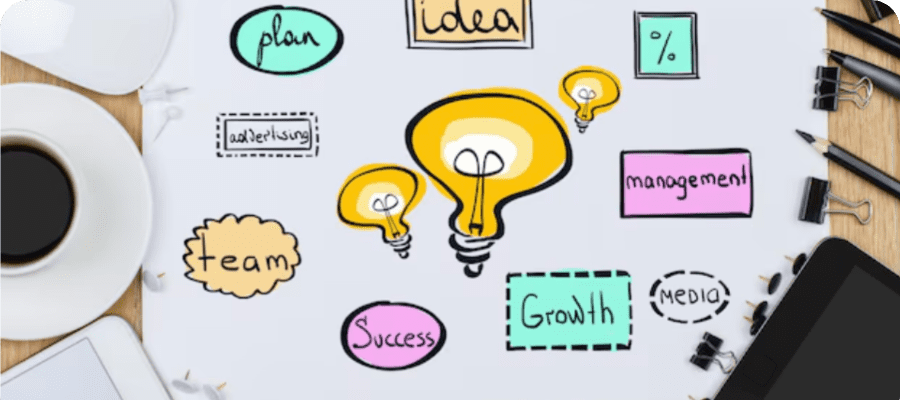
It was late afternoon in a small, sunlit studio. A designer leaned back in their chair, sipping lukewarm coffee, while juggling three open tabs and a chaotic folder of logos. Deadlines loomed, clients had new last-minute requests, and somehow they found themselves taking a tiny break with a duolingo practice test just to feel productive. Not that it helped much with the logo chaos, but at least their brain got a mini workout. The bigger point? Having all logos in one place would have saved hours of searching, frustration, and caffeine-fueled panic.
Design work is creative—but it’s also painfully human. Logos pile up. Versions multiply. Files get lost. Without a central hub, projects can feel like running a maze blindfolded. And designers, bless them, are experts at navigating chaos… but even chaos has its breaking point.
Why Designers Often Struggle
Designers aren’t just creative; they’re human. And humans lose things. Files, folders, even entire campaigns sometimes vanish into the digital void. One designer once spent half a day searching for the correct logo, only to realize they had been looking in an email thread from three years ago. Classic.
Problems like this aren’t just time-consuming—they’re stressful. Hours spent hunting for the right file are hours lost that could’ve gone into actual designing. Not to mention the tiny panic spikes when a client notices an outdated version of a logo in a presentation.
- Time wasted: endless searching instead of creating
- Brand inconsistency: mixing up old and new logos
- Mental overload: deadlines feel even tighter
The Magic of a Centralized Logo Library
Imagine a library—but for a logo. Every file neatly organized, labeled, and ready to grab. Suddenly, the chaos of design work transforms into flow.
One freelance designer recalled the moment they finally implemented a logo hub. A client requested multiple variations of a logo for a new social media campaign. Instead of scrambling, the designer clicked, dragged, and dropped. What used to take hours now took twenty minutes. Coffee was sipped. Smiles were shared. Minor miracles occurred.
Why centralized libraries work:
- Quick access to all logos, in every format
- Fewer mistakes and version confusion
- Faster project completion
- Mental space for creativity
Understanding the Logo Jungle
Logos aren’t simple. They come in horizontal, vertical, icon-only, color, monochrome, high-res, low-res… sometimes even in formats no one remembers creating. Designers joke that logo folders often look like a tornado hit a file cabinet.
A well-organized library solves that. Every version has a clear label:
- Primary logo
- Secondary logo
- Social media icons
- High-res & low-res
- Monochrome & alternative
Some designers even color-code theirs. One joked, “Red folder is for primary logos, green is social media, blue is variations. It’s like a rainbow of sanity in the storm.”
Stories of Time Saved
A small agency shared how a centralized hub transformed their workflow. Previously, designers spent roughly 30 minutes per project hunting for logos. Multiply that by dozens of projects per year, and you’re looking at days—literally—wasted.
After setting up a central library, those hours turned into actual design time. Creativity flourished, stress dropped, and clients noticed the difference.
- Time saved = More ideas generated
- Fewer mistakes = Happier clients
- Less stress = Happier team
Practical Tips for a Logo Hub
Setting up a logo library doesn’t need to be complicated. Here’s what designers swear by:
- Organize by client: each client has its own folder.
- Include all versions: horizontal, vertical, monochrome, icons.
- Clear naming: “ClientName_Logo_Horizontal.png” beats “logo_final_2.png.”
- Backup: cloud storage plus local copies.
- Tag or color-code: makes searching faster.
- Document usage: include a small README with logo rules to avoid mistakes.
Even freelancers with small teams report feeling lighter mentally once they adopt these habits.
Integration With Design Tools
Modern tools like Figma, Adobe Creative Cloud, and Canva can integrate with centralized libraries. This means logos are accessible right inside the project workspace—no downloading, no searching, no unnecessary panic.
A designer shared a story: working on a five-platform campaign, they swapped logos across all ads in under ten minutes. Meanwhile, a colleague without a hub was still scrolling through old folders.
Collaboration Made Easy
Centralized libraries shine in teams. Everyone sees the same versions, updates happen instantly, and those endless “which logo is official?” emails vanish.
One marketing team reported an 80% drop in logo-related emails after implementing a hub. Designers focused on creativity, marketing focused on strategy, and deadlines were hit without the usual chaos.
Mobile and Remote Access
Design inspiration doesn’t stick to office hours. Cloud-based hubs let designers access logos from anywhere—coffee shops, trains, or airports.
One freelancer shared: “I was on a train when a client asked for a social media post. Normally, I’d panic. But with my logo hub on my tablet, I finished it before the next station. Lifesaver.”
Casual Wrap-Up
Deadlines, clients, multiple campaigns—design work can feel like juggling flaming torches. But having all logos in one place changes everything. Projects move smoother, errors drop, creativity flows, and designers can finally breathe.
Sometimes, during a short break, they might even open a duolingo practice test, take a mini mental reset, and remember: organization doesn’t kill creativity—it fuels it.