Picking an AI image generator for commercial work is not the same as picking one for personal creative projects. When client budgets, brand guidelines, and legal departments are in the picture, the stakes shift entirely. Cool outputs are not enough. You need tools that are legally safe to use, consistent enough to match brand standards, and fast enough to keep production moving.
This guide breaks down what to look for and which tools deliver when AI-generated visuals go to work.
WHAT TO LOOK FOR IN AN AI IMAGE GENERATOR FOR COMMERCIAL WORK
Before comparing tools, get clear on the four criteria that separate hobbyist generators from professional ones.
Commercial licensing and legal safety. This is the non-negotiable. Any image you use in a paid campaign, client deliverable, or published product needs to be backed by an explicit commercial-use license. Some tools cover this clearly; others push you toward case-by-case review. Look for platforms that address copyright indemnification directly, especially if enterprise clients or legal teams are involved.
Brand safety and output control. For commercial design, the ability to control outputs matters as much as the quality of those outputs. Typography accuracy, consistent character or product rendering across scenes, and predictable style adherence all become critical the moment work leaves the concept stage.
Integration with your existing workflow. A tool that forces you to leave your design environment or juggle multiple platforms, tabs, and export formats adds friction that compounds across a project. The best commercial generators either integrate directly into your existing stack or consolidate enough capabilities that they become the stack.
Output quality by asset type. Photorealistic product images, editorial illustrations, typographic layouts, and brand campaign visuals each demand different things from a model. Match the model to the deliverable, not just the brief.
WHAT EACH TOOL IS BEST AT
Artlist.io — Best for Full Creative Workflows with Built-In Commercial Licensing
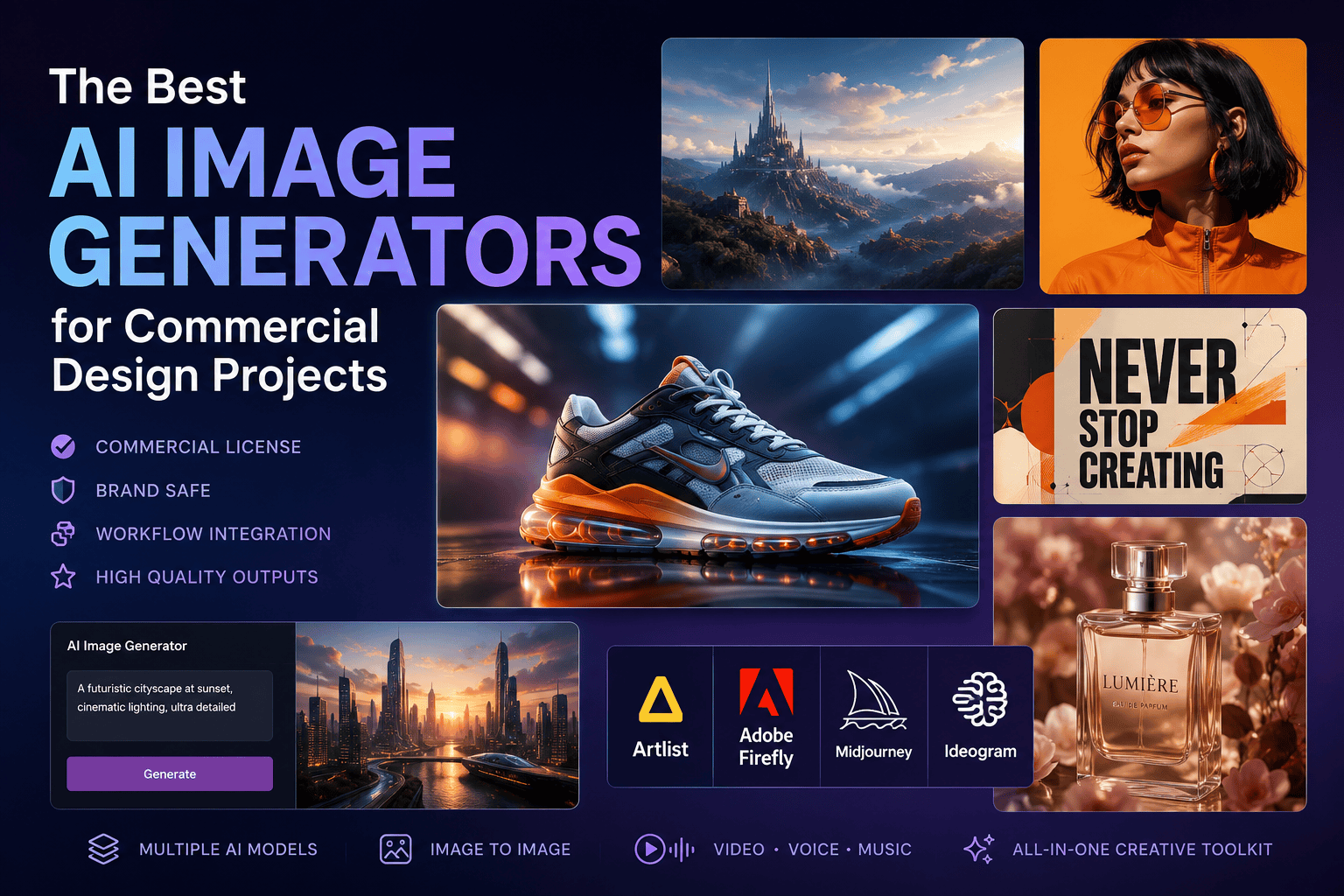
Artlist’s AI image generator is built for creators who need professional-grade outputs without the overhead. Access to 26+ curated AI image models, including Flux 2 Pro, GPT Image 1.5, Ideogram V3, Nano Banana Pro, and the exclusive Artlist Original 1.0, is available inside a single AI toolkit, alongside video generation, voiceover, and music tools.
The commercial licensing situation is clear-cut: everything you generate through Artlist is covered for commercial use. You own your outputs; Artlist does not use your prompts or generated images to train AI models, and your work stays private by default. For design teams running campaigns or producing client assets at scale, that combination of legal clarity and creative flexibility is hard to match.
Artlist Original 1.0 stands out specifically among the model lineup. It is the only image model trained on Artlist’s own high-quality cinematic footage, which means the outputs carry a distinct film-like quality, complete with realistic physics, lighting behavior, and camera rendering, that generic models do not replicate.
The platform also supports both text-to-image and image-to-image workflows, letting designers upload reference images to guide composition and keep style consistent across a project. For brand campaigns where consistency across assets is essential, this is a practical workflow advantage.
Best for: Marketing campaigns, social media content, video production assets, branded visuals, product imagery, and any workflow where commercial clearance and multi-format output matter.
Adobe Firefly: Best for Enterprise Clients and Photoshop Integration
Firefly is the industry standard when legal safety is the primary concern. Trained exclusively on licensed Adobe Stock content and public domain material, it offers corporate-grade intellectual property indemnification that enterprise clients frequently require. Generative Fill and Generative Expand are built directly into Photoshop and Illustrator, making Firefly the smoothest choice if Adobe Creative Cloud is already your production environment.
The trade-off is creative range. Firefly’s outputs tend toward polished realism and strong prompt fidelity, but it lacks the stylistic variety and artistic ceiling of tools like Midjourney. It is also locked to the Adobe ecosystem, meaning teams not already using Creative Cloud will not get the same integration benefit.
Best for: Enterprise print advertising, product mockups, photo retouching workflows, and clients with strict IP requirements.
Midjourney: Best for High-End Aesthetics and Concept Art
Midjourney remains the benchmark for artistic output quality. Its rendering of texture, light, and stylistic nuance is unmatched among mainstream generators, making it the go-to for mood boards, editorial photography, concept art, and any brief that prioritizes visual impact over literal prompt accuracy.
The limitations are practical ones: Midjourney’s web and Discord-based workflow is not built for production speed or brand governance, and its commercial licensing, while present, has historically been less straightforward than platform-native solutions. Text rendering remains inconsistent, and reproducing specific products or characters across multiple images is difficult.
Best for: Creative concept development, editorial and fashion imagery, high-end mood boards, and stylized campaign visuals where aesthetic quality leads.
Ideogram: Best for Typography and Design-First Outputs
Ideogram addresses the one area where most AI image generators still fall short: accurate, stylized text embedded in images. For packaging mockups, poster design, book covers, t-shirt graphics, and any layout where the type is part of the visual, not an afterthought, Ideogram’s text handling is reliable in a way competitors are not.
It also offers strong prompt adherence, consistently including every element specified in a prompt and maintaining clean compositional structure. Ideogram V3 is available directly inside Artlist’s AI Toolkit, giving Artlist users access to Ideogram’s typographic precision alongside the rest of their model library.
Best for: Packaging design, posters, typographic layouts, brand assets with embedded copy, and infographic imagery.
SIDE-BY-SIDE COMPARISON
| Feature | Artlist | Adobe Firefly | Midjourney | Ideogram |
| Commercial license | Included, explicit | Included, enterprise-grade | Available (check plan) | Available |
| Model variety | 26+ models in one platform | Firefly models only | Midjourney models only | Ideogram models only |
| Typography accuracy | Strong (Ideogram V3 + GPT Image 1.5 included) | Moderate | Weak | Best-in-class |
| Workflow integration | Image, video, voice, and music in one toolkit | Native in Photoshop / Illustrator | Web / Discord | Web-based |
| Image-to-image support | Yes | Yes (Generative Fill) | Limited | Yes |
| Output privacy | Prompts and outputs not used for training | Governed by Adobe ToS | Outputs may be public by default | Governed by Ideogram ToS |
| Unique differentiator | Artlist Original 1.0 + all-in-one toolkit | Photoshop-native integration | Artistic quality ceiling | Text-in-image accuracy |
WHICH TOOL SHOULD YOU CHOOSE?
No single generator wins every commercial design scenario. But the decision framework is straightforward.
If your legal team needs clear commercial coverage and you produce video, social, and campaign assets regularly, Artlist gives you the broadest coverage in one place, with explicit licensing, 26+ curated models, and a toolkit that extends from image generation into video, voice, and music. The Artlist Original 1.0 model adds a genuinely distinct output style, cinematic, physics-accurate, film-referenced, that no other platform offers.
If your studio runs entirely on Adobe Creative Cloud and enterprise IP indemnification is a hard requirement, Firefly fits cleanly into that pipeline. If your priority is raw aesthetic quality for concept presentations or editorial work, Midjourney still leads. And if typography embedded in images is central to your design deliverables, Ideogram, available both as a standalone tool and inside Artlist, handles it better than anything else on the market.
For most design teams producing commercial work across multiple asset types, a platform that consolidates commercial licensing, model access, and a full creative workflow in one place is where efficiency and legal safety converge. That is where Artlist sits.