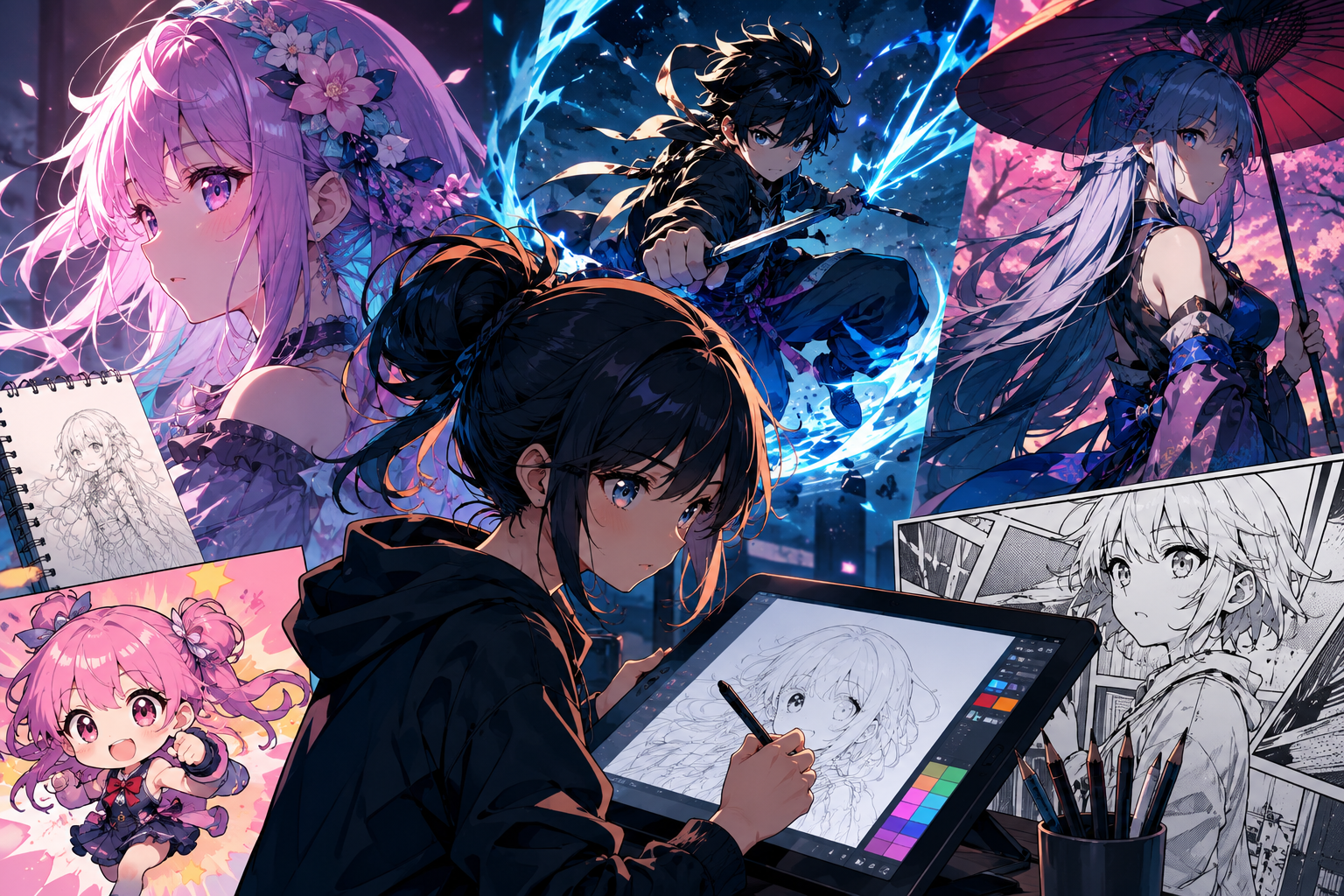
Anime and manga art have exploded from niche subcultures into a global visual language, and AI image generators are now central to how illustrators, indie creators, webtoon artists, and marketing teams bring stylized characters to life. Whether you need consistent character sheets, dynamic action panels, chibi mascots, or cinematic key visuals, the right AI tool can drastically shorten the path from idea to polished illustration.
In this guide, we rank the top 10 AI image generators that either specialize in or excel at anime, manga, and stylized illustration work. Each platform is broken down by features, pricing, pros and cons, and the audience it fits best.
How We Test
To keep the comparison fair, we evaluated every platform along the same set of dimensions:
- Anime/manga style quality — how well the platform reproduces cel-shading, line art, screentones, and popular anime aesthetics.
- Character consistency — the ability to keep the same character across multiple scenes, poses, and outfits.
- Model variety — access to leading models (GPT Image 2, Nano Banana 2, Seedream 5.0, Flux, Midjourney, etc.).
- Editing controls — inpainting, reference image support, aspect ratios, resolution, and post-generation refinement.
- Pricing value — credits per dollar, free tiers, and commercial usage rights.
- Workflow fit — ease of use for beginners vs. depth for professional illustrators.
TL;DR Comparison Table
| Rank | Platform | Best For | Starting Price | Anime/Manga Strength |
| 1 | Nano Banana Bingo | Character-consistent anime scenes | $19.9/mo | Same protagonist across panels and scenes |
| 2 | Chat Image | Prompt-driven anime illustration | $14.9/mo | 5 reference images for style + character transfer |
| 3 | Pixlr | Casual anime editing + generation | $1.99/mo | Multi-model choice for varied anime styles |
| 4 | Loova | Nano Banana 2.0 anime workflows | $15/mo | Unlimited Nano Banana 2 generation |
| 5 | ImagineArt | Character art & stylized graphics | $9/mo | Midjourney V7 for polished anime aesthetics |
| 6 | Kittl | Manga-style merch & poster design | $14/mo | Design canvas for anime T-shirts and prints |
| 7 | Manus AI | Anime concept design at volume | $20/mo | Nano Banana Pro for concept and key visuals |
| 8 | Getimg | High-res anime print output | $8/mo | Up to 16K upscaling for artbooks and posters |
| 9 | OpenArt | Consistent characters for series work | $12.6/mo | 40 personalized models per account |
| 10 | Raphael AI | Free anime experimentation | Free | Unlimited free tier (watermarked) |
Website List
1. Nano Banana Bingo
What is it?
Powered by the Nano Banana model, Nano Banana Bingo is an AI image platform built for character consistency — a natural fit for manga and webtoon creators who need the same protagonist to appear reliably across chapter after chapter, without redrawing reference sheets every time.
Features
For anime and manga work, the Nano Banana model’s edge is character continuity across long-form series output: the same protagonist can appear in a school hallway scene, then a rainy rooftop scene, then a battle panel, and still read as the same character — same face structure, same signature outfit, same hair silhouette. Multi-image fusion lets you drop a character reference and a background reference into one prompt and have both survive the composite, and conversational editing means panel-level tweaks (“same character, angrier expression, low-angle shot”) don’t require rewriting the entire prompt from scratch.
Pricing (Billed Annually)
- Starter: $19.9/mo — 800 credits
- Pro: $39.9/mo — 1,600 credits
- Max: $69.9/mo — 4,000 credits
- Ultra: $149.9/mo — 10,000 credits
Pros & Cons
- ✅ Nano Banana model delivers standout character consistency for serialized manga
- ✅ Multi-image fusion suits reference-heavy anime workflows
- ✅ Natural-language editing lowers the learning curve for panel-level tweaks
- ❌ No permanent free tier
- ❌ Credit tiers can climb quickly for heavy panel production
Best For
Webtoon and manga artists, indie visual novel creators, and small studios producing recurring characters across chapters or campaigns.
2. Chat Image
What is it?
Chat Image is a conversational AI image generator built around GPT Image 2, with strong prompt fidelity that lends itself well to anime, manga, and stylized illustration — especially for artists who prefer to steer style with visual references rather than long text descriptions.
Features
For stylized illustration work, the most useful capability is uploading up to five reference images per edit — you can pin down anime style (a reference sheet), character design (a turnaround), outfit details (a costume ref), lighting mood (a manga panel), and composition (a rough sketch) all in one prompt. This is closer to how anime illustrators actually work — collecting refs before drawing — than pure text-to-image prompting. GPT Image 2 handles the layered stylistic instructions (“cel-shaded, screentone shadows, dynamic diagonal composition, character in three-quarter view”) cleanly.
Pricing (Billed Annually)
- Free: $0/mo — 3 trial credits
- Basic: $14.9/mo — 300 credits
- Professional: $29.9/mo — 650 credits + priority iteration
- Enterprise: $199.9/mo — 5,000 credits
Pros & Cons
- ✅ Five-reference workflow matches how anime illustrators actually gather refs
- ✅ GPT Image 2 handles layered stylistic instructions cleanly
- ✅ Affordable Basic tier for solo illustrators and doujin creators
- ❌ Limited free credits (3 trial)
- ❌ Caps at 2K resolution — tight for large-format print work
Best For
Solo illustrators, doujin creators, and prompt-focused artists who want a clean interface with strong reference-image control.
3. Pixlr
What is it?
Pixlr is a long-established creative suite that has expanded into AI image generation — a pragmatic pick for anime hobbyists who want an affordable place to generate, retouch, and finish stylized art without juggling multiple tools.
Features
For anime creators on a budget, Pixlr’s value is the combination of AI generation with a traditional editor — you can generate an anime-style base image, then clean up hair strands, adjust screentone shading, or fix a hand in the same canvas. The image generator draws from models built by Google, Black Forest Labs, ByteDance, and Stability AI, giving stylistic variety across different anime aesthetics (soft shoujo, sharp seinen, chibi), though how anime-native each model feels varies engine by engine.
Pricing
- Plus: $2.49/mo monthly or $1.99/mo yearly — 80 AI credits
- Premium: $9.99/mo monthly or $7.99/mo yearly — 1,000 AI credits
- Ultra: $24.99/mo monthly or $19.99/mo yearly — up to 10,000 AI credits
Pros & Cons
- ✅ One of the cheapest entry points on this list
- ✅ Editing tools complement generation — good for cleanup and touch-up
- ✅ Multi-model choice for varied anime aesthetics
- ❌ Not specifically tuned for anime workflows
- ❌ Lower-tier credit caps (80/month) vanish fast
Best For
Hobbyists, social media creators, and educators who want anime-style visuals without a steep subscription.
4. Loova
What is it?
Loova is an AI image generation platform centered on Google’s Nano Banana 2.0 model, well-suited for stylized character art and poster-style anime designs — with unlimited generation on flagship models at the Pro tier.
Features
Nano Banana 2.0 handles character-driven anime work well because it holds character detail across iterations, and Loova’s Pro plan unlocks unlimited generation on it — a genuine advantage for anime creators who iterate heavily on a character design before locking it in. The featured model list also includes GPT Image 2 and Seedream 5.0 (Pro / Lite), the latter of which is known for stylistic flexibility across illustration aesthetics. Together, these three engines cover most anime style ranges from soft-shaded character portraits to dynamic action key visuals.
Pricing (Billed Annually)
- Lite: $15/mo — 300 credits
- Pro: $39.2/mo — 1,200 credits + unlimited Nano Banana 2 & Pro, GPT Image 2
- Max: $69.3/mo — 3,000 credits + expanded unlimited models
- Ultimate: $137.4/mo — 8,000 credits + most concurrent tasks
Pros & Cons
- ✅ Unlimited Nano Banana 2 and GPT Image 2 removes iteration limits on character design
- ✅ Multiple flagship models cover different anime aesthetics
- ✅ Strong for both character portraits and poster-scale key visuals
- ❌ Lite tier credits deplete quickly on stylized production
- ❌ Interface still maturing
Best For
Anime creators who want unlimited access to Nano Banana 2 and Seedream models for high-volume stylized output.
5. ImagineArt
What is it?
ImagineArt is an AI image generator with a broad model lineup — particularly strong for character illustration work thanks to its access to Midjourney V7 and Flux 2 Max, both of which produce polished anime and semi-realistic aesthetics.
Features
ImagineArt exposes GPT Image 2, Midjourney V7, and Flux 2 Max — three engines with distinct anime strengths. Midjourney V7 leans toward polished, editorial anime aesthetics with cinematic lighting (great for key visuals and cover art); Flux 2 Max handles crisper line-art and semi-realistic anime styles; GPT Image 2 covers detailed character briefs with multiple stylistic instructions. Being able to route the same character design through all three from one plan is unusual at this price point, letting illustrators find which engine best captures their specific anime style.
Pricing (Billed Annually)
- Basic: $9/mo — ~3,000 credits
- Standard: $20/mo — ~8,000 credits
- Ultimate: $34/mo — ~16,000 credits
- Creator: $175/mo — ~100,000 credits
Pros & Cons
- ✅ Access to Midjourney V7 delivers high-end anime cover-art aesthetics
- ✅ Three flagship engines cover cinematic, line-art, and detailed brief styles
- ✅ Generous credit allocations for high-volume illustration work
- ❌ Less focused on sequential manga panel workflows
- ❌ Model selection can overwhelm new users
Best For
Character illustrators and concept artists who want Midjourney-tier stylization at a lower price point.
6. Kittl
What is it?
Kittl is a design-first platform that pairs AI image generation with a full editor — a strong pick for anime and manga art headed for merchandise, prints, stickers, and physical goods rather than digital-only publication.
Features
Kittl runs on Flux 1.1 Pro, Ideogram 4, and ChatGPT Image 2 HD. For anime creators moving into merch, the most valuable capability is the design canvas itself — you can generate a chibi mascot or stylized character, then arrange it into a T-shirt layout, sticker sheet, poster, or acrylic charm mockup without leaving the platform. Ideogram 4 is a bonus for anime merch that includes Japanese katakana, series titles, or slogan text, because it renders in-image typography reliably instead of producing garbled letters. Commercial licenses are included from the Pro tier.
Pricing (Billed Annually)
- Free: $0/mo — 200 one-time AI tokens
- Pro: $14/mo per editor — 2,000 tokens + full commercial licenses
- Expert: $34/mo per editor — 6,000 tokens + priority access
- Max: $65/mo per editor — 12,000 tokens + advanced security
Pros & Cons
- ✅ Design canvas takes anime art directly to T-shirts, stickers, and prints
- ✅ Ideogram 4 handles series titles and katakana reliably
- ✅ Full commercial licensing at Pro tier
- ❌ Not purpose-built for sequential manga panels
- ❌ Per-editor pricing adds up for team studios
Best For
Anime merch designers, sticker makers, and small brands turning stylized art into physical products.
7. Manus AI
What is it?
Manus AI is an online AI image generator that explicitly supports anime output alongside photorealistic imagery — positioned for professional concept design, key visuals, and stylized production at volume.
Features
Manus runs on GPT Image 2, Nano Banana Pro, and Nano Banana 2 — a lineup that favors instruction-faithful engines, which matters when anime briefs come with detailed character specs, world-building rules, and stylistic references attached. Twenty concurrent tasks on the Standard plan let studios and freelancers explore many variations of the same character design or key visual in parallel — critical when you’re locking in a protagonist’s final look and need to see twenty subtle variants of the same design at once.
Pricing (Monthly)
- Standard: $20/mo — 4,000 credits + 300 daily refresh
- Customizable: $40/mo — 8,000 credits + 300 daily refresh
- Extended: $200/mo — 40,000 credits + Free Cloud Computer
Pros & Cons
- ✅ 20 concurrent tasks accelerate character-design exploration
- ✅ Nano Banana Pro and 2 give anime briefs strong instruction adherence
- ✅ Daily refresh credits ease heavy iteration
- ❌ No cheap entry tier below $20
- ❌ Overkill for casual anime creators
Best For
Studios and freelancers producing anime concept art, key visuals, and character sheets at scale.
8. Getimg
What is it?
Getimg is an AI image platform with a particular strength in high-resolution upscaling — up to 16K — that anime artists can use to finish stylized illustrations for print media where crisp line art and clean color fields matter.
Features
For anime artists, Getimg’s headline capability is upscaling to 16K, which comfortably covers artbook spreads, con posters, tapestries, large event backdrops, and gallery prints — sizes where AI models’ native output tends to look soft. Access to up to 11 image models depending on plan gives stylistic variety across anime aesthetics, and background removal is directly useful for isolating a character from its generated backdrop for use in merch, layouts, or composited scenes.
Pricing (Billed Yearly)
- Entry: $8/mo — 3,000 credits + 4K upscaling
- Core: $25/mo per seat — 15,000 credits + 8K upscaling
- Plus: $55/mo per seat — 35,000 credits + 16K upscaling
- Ultra: $150/mo per seat — 100,000 credits + priority processing
Pros & Cons
- ✅ Best-in-class upscaling for print-ready anime artbooks and posters
- ✅ Background removal supports isolating characters for merch and comps
- ✅ Affordable Entry tier
- ❌ Anime-specific tuning depends on model choice
- ❌ Per-seat pricing on higher tiers
Best For
Anime artists preparing artbooks, con posters, or large-format prints who need serious upscaling power.
9. OpenArt
What is it?
OpenArt is an AI image platform with unusually strong character-consistency tooling — a natural fit for long-running manga and anime series where the same cast of characters needs to appear across dozens of chapters or episodes.
Features
For serialized anime work, OpenArt’s most valuable capability is support for up to 40 personalized custom models — you can train the platform on your main character, secondary cast, and even signature background locations, so future prompts don’t have to re-describe them each time. Consistent character creation tools reinforce this at the generation level. Up to five reference images per prompt give visual instructions strong anchoring, and the model roster includes GPT Image 2, Nano Banana 2, and Seedream 5.0 Pro for stylistic range.
Pricing (Billed Annually)
- Essential: $12.6/mo — 4,000 credits + 8 parallel generations + commercial rights
- Advanced: $23.2/mo — 12,000 credits + up to 40 personalized models
- Infinite: $43.7/mo — 24,000 credits + 32 parallel generations
- Wonder: $175.2/mo — 108,000 credits + unlimited Seedream 5.0 Pro
Pros & Cons
- ✅ 40 personalized models let you encode a full anime cast into the platform
- ✅ Consistent character tooling suits long-form serialized work
- ✅ Commercial usage rights from the entry tier
- ❌ Custom training and full parallelism sit behind mid-to-high tiers
- ❌ Wonder tier is a big jump in price
Best For
Manga creators and small anime studios producing long-running series with a recurring cast of characters.
10. Raphael AI
What is it?
Raphael AI is a lightweight AI image generator whose unlimited free tier makes it the easiest starting point for anime beginners — a low-risk sandbox for exploring style, character design, and prompt techniques before committing to a paid tool.
Features
The free tier lets anime beginners test how different models render specific styles — Raphael 2.0, GPT Image 2, and Seedream 5.0 Pro all handle stylized illustration differently, and having free access to compare them is genuinely useful when you’re figuring out which engine best matches the anime look you’re going for. Text-to-image supports up to three reference images (enough for basic character or style anchoring, though tighter than the five-reference platforms), and Fast Mode helps with rapid stylistic iteration.
Pricing (Billed Annually)
- Free: Unlimited generations (watermarked, no login required)
- Pro: $10/mo ($120/year) — 2,000 credits + unlimited Raphael 2.0 + no watermarks
- Ultimate: $20/mo ($240/year) — 5,000 credits + highest priority queue + advanced refine
Pros & Cons
- ✅ Unlimited free tier is a genuine sandbox for anime beginners
- ✅ Cheapest paid plans on this list
- ✅ Fast Mode supports quick anime style iteration
- ❌ Free outputs are watermarked
- ❌ Three reference images limits complex character + style anchoring
Best For
Students, hobbyists, and anime beginners who want to prototype stylized art without paying upfront.
Key Takeaways
- Character consistency is the single biggest differentiator for anime and manga work. Nano Banana model–powered platforms (Nano Banana Bingo), along with Loova and OpenArt, lead here — pick one if your work involves recurring characters across chapters or episodes.
- Model access shapes stylistic range. ImagineArt (Midjourney V7, Flux 2 Max), Loova (Nano Banana 2, Seedream 5.0), and Chat Image (GPT Image 2) each cover distinctly different anime aesthetics.
- Reference-image count enables ref-driven workflows. Chat Image and OpenArt (5 references each) match how anime illustrators actually work — starting from a stack of refs rather than a paragraph of text.
- Print and merchandise workflows need dedicated tools. Getimg (16K upscaling) handles artbook and poster output; Kittl (design canvas + reliable in-image text) handles T-shirts, stickers, and merch.
- Budget-conscious creators have real options. Raphael AI’s free tier, Pixlr’s $1.99 Plus plan, and Getimg’s $8 Entry tier are the most accessible starting points.
- Serialized studios need volume-oriented tools. OpenArt’s 40 personalized models and Manus AI’s 20 concurrent tasks are the differentiators for long-form production.
Conclusion
Anime and manga illustration covers a huge stylistic spectrum — from soft shoujo linework to gritty seinen compositions to chibi mascot design — and no single platform will be perfect for every creator.
Character-driven storytellers who need the same protagonist across scenes and chapters will lean toward Nano Banana Bingo, Loova, and OpenArt. Prompt-first illustrators who want tight reference control will feel at home in Chat Image or ImagineArt. Merch designers get the most from Kittl, print artists from Getimg, and beginners from Raphael AI or Pixlr. Studios balancing volume and long-form serialized output will find Manus AI and OpenArt worth a closer look.
Match the tool to your workflow, and the anime style will follow.