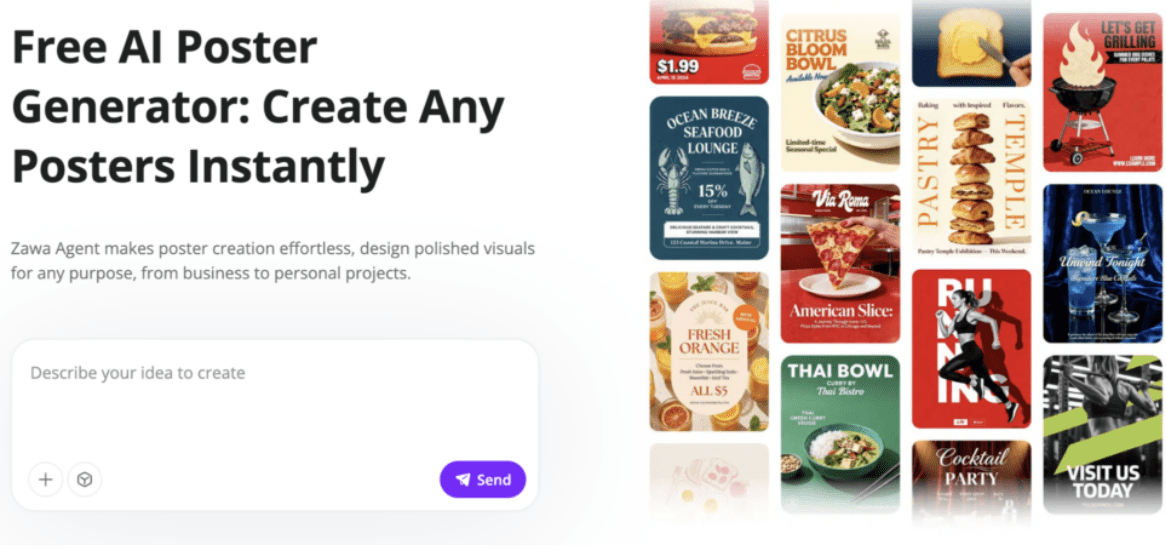
Until recently, creating eye-catching posters used to mean either breaking the bank and hiring a designer or spending countless hours trying to learn all about graphic design software – not anymore, though. Tools like the Zawa AI Poster Generator have levelled the playing field, making it easy for business owners, founders, and just about any kind of creator to knock up some professional-looking visuals in no time at all.
In this review, we will go through what it’s capable of and what it can do for your business. We will also have a detailed look at related tools like the Zawa AI Logo Generator, since strong posters often begin with a strong logo and brand identity. This article uses simple, non-technical language so that, even if design tools are new to you, you can follow along.
What Zawa AI Poster Generator Is
The Zawa AI Poster Generator is an online tool that uses AI to create custom posters from your ideas. You just give it the basics – your business name, your key message, any visuals you kinda like the look of – and it does the rest, turning those details into great-looking poster designs you can start using straight away.
The focus is on local shops, small brands, and independent owners who don’t have a full design team but need professional artwork for everyday use. You don’t need expert design skills.
Key Features of Zawa Poster Generator
Here are main capabilities of Zawa Poster Generator that make it a standout tool in 2026:
- Custom input: You can tell the tool what you want to include, like your business, message, style, colors, and anything else you want.
- Variety of Poster Options: Unlike other tools that just churn out one static design, this one gives you a bunch of different options to choose from.
- Edit-able results: The best part is the generated posters aren’t set in stone. You can tweak the text, change up the layout, swap out visuals or fonts – whatever you want to keep your design on track.
- Brand Consistency: When you feed it your logo and brand colors – the end result just feels like another piece of your overall brand puzzle.
- Ready for print or digital: Download versions sized for both on-site printing and social feeds.
How Zawa the Logo Generator Fits in Your Brand Workflow
Good posters don’t live alone. They work with your logo, your colors, your fonts, your story.
For that reason, the poster generator sits alongside other Zawa tools like AI Logo Generator. This tool helps you create a logo that feels unique to your business. A strong logo makes posters look better and feel more cohesive. Together, the logo and poster tools help you build a visual identity without paying for a designer.
Behind the Scenes: How It Works
The tool uses your text and choices to:
- Understand your business category
- Identify visual style cues from your input
- Mix layout, font, and color rules that feel intentional
- Produce images and layouts that match
Because the tool works from your input, the results don’t feel like recycled templates. It’s more like getting early drafts based on your brief, then shaping them from there.
Step-by-Step: Making Posters with Zawa
Here’s how you generate posters from start to finish.
Step 1: Share your idea or visual reference
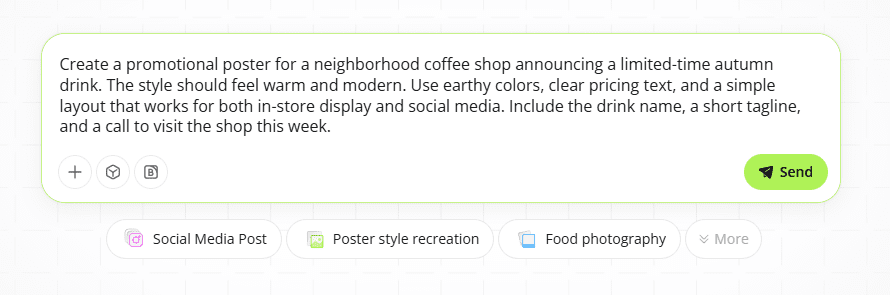
Start by telling Zawa what kind of poster you need. You can write a quick note about poster (like overall vibe), upload a product photo, or name a style you already like. It could be for a sale, an event, a menu update, or a brand announcement. When goal is clear from the start – first set of results usually lands much closer to what you had in mind.
Step 2: Generate and review poster options
After you send in your input, Zawa gets to work creating half a dozen or so different poster variations for you. Each one follows the basic design rules – so you can expect to see balanced layouts, easy-to-read text and colors that really do fit the message. You can then scroll through and compare all the different options side by side, see which styles you like best, and pick direction that feels right for your brand.
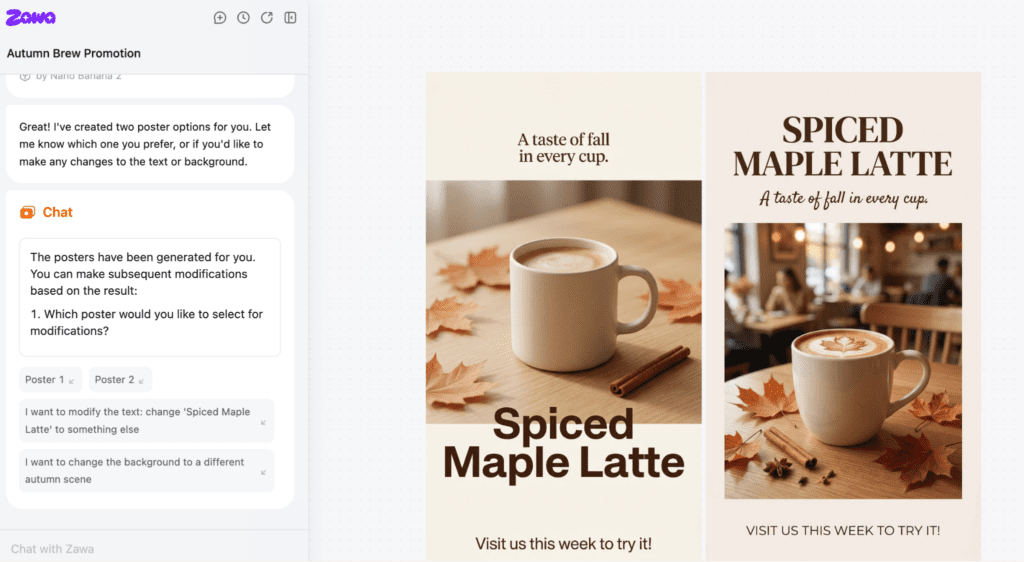
Step 3: Final adjustments and poster export
Once you find a design you like, you can open it and make any changes you need to. Whether that is changing some text, swapping a photo or two, or even getting more daring with the fonts and colors – all that without starting from scratch. Once your poster is looking ready to go, you can export it in the file type of your choice.
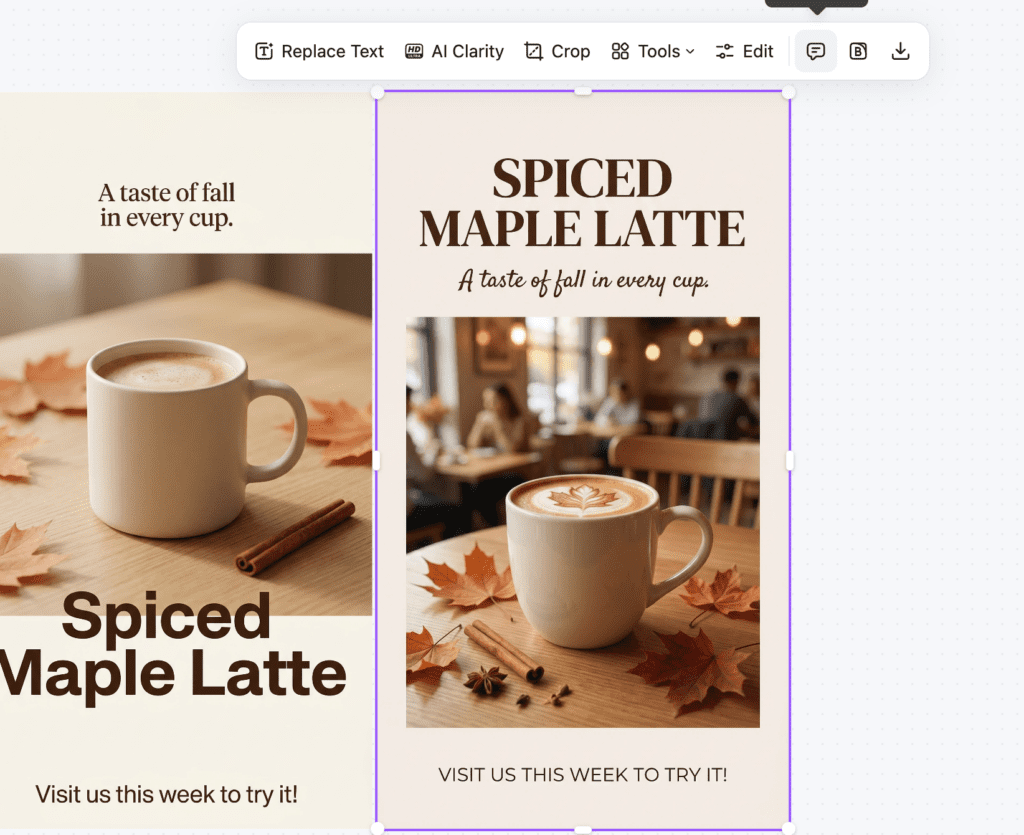
Tips for Better Poster Results
Some practical advice to improve your output:
- Be precise in your brief: Include specifics like target audience, mood, and message goal. Vague inputs lead to generic designs.
- Use colors of your brand: If your logo has a color palette, include those hex codes. Posters feel cohesive when colors match.
- Avoid clutter: Short, clear headlines beat long paragraphs in posters.
- Keep fonts readable: If the poster will be printed, test readability from a distance.
- Export multiple sizes: One version for store windows, another for Instagram or Facebook.
Who Benefits Most
The AI Poster Generator is useful for:
- Store owners preparing in-store signage
- Cafes updating menus or specials
- Salons promoting offers
- Florists creating seasonal posters
- Event hosts needing visual materials fast
- Social marketers who need shareable graphics
It works for physical posters and digital banners alike.
When This Tool Works Best
The poster generator fits best when:
- You need visuals quickly
- You do not have a designer on staff
- The design goal is clear and simple
- You already have a logo or brand style
For daily promotions, menu updates, social posts, seasonal themes, and in-store visuals, it speeds up workflow.
A Simple Comparison: Manual vs AI Poster Creation
| Factor | Manual Design | Zawa AI Poster Generator |
| Time to start | Hours | Minutes |
| Need design skills | Yes | No |
| Cost | Designer fees | Online subscription or pay-as-you-go |
| Number of versions | Limited | Multiple at once |
| Print + digital exports | Manual setup | Built-in |
This shows how the AI tool saves time, effort, and direct costs.
Final Thoughts
The Zawa AI Poster Generator makes design more accessible. You don’t need complex software, you don’t need a team, and you don’t have to guess how to lay out elements. The tool helps you generate visuals that look good and work for your business goals. From cafes to boutiques, salons to events, the poster tool empowers you with a wide array of creative solutions at lightning speed. Pair it with the AI logo generator for a complete visual identity solution that stays flexible, consistent, and ready to use.